Well, it time to do upgrades on my server. expect this blog will be offline for a while as well.
How long were we up anyway?
root@pingvinashen:~ # uptime
 9:41PM  up 270 days, 18:36, 4 users, load averages: 0.15, 0.36, 0.38
Not bad, huh?
See you soon!

Well, it time to do upgrades on my server. expect this blog will be offline for a while as well.
How long were we up anyway?
root@pingvinashen:~ # uptime 9:41PM up 270 days, 18:36, 4 users, load averages: 0.15, 0.36, 0.38
Not bad, huh?
See you soon!
A week ago I posted about Running arm64.aarch64 FreeBSD on QEMU/UTM.app on Apple Silicon, and looks like
It took me a while but in the end it was, again, a simple change.
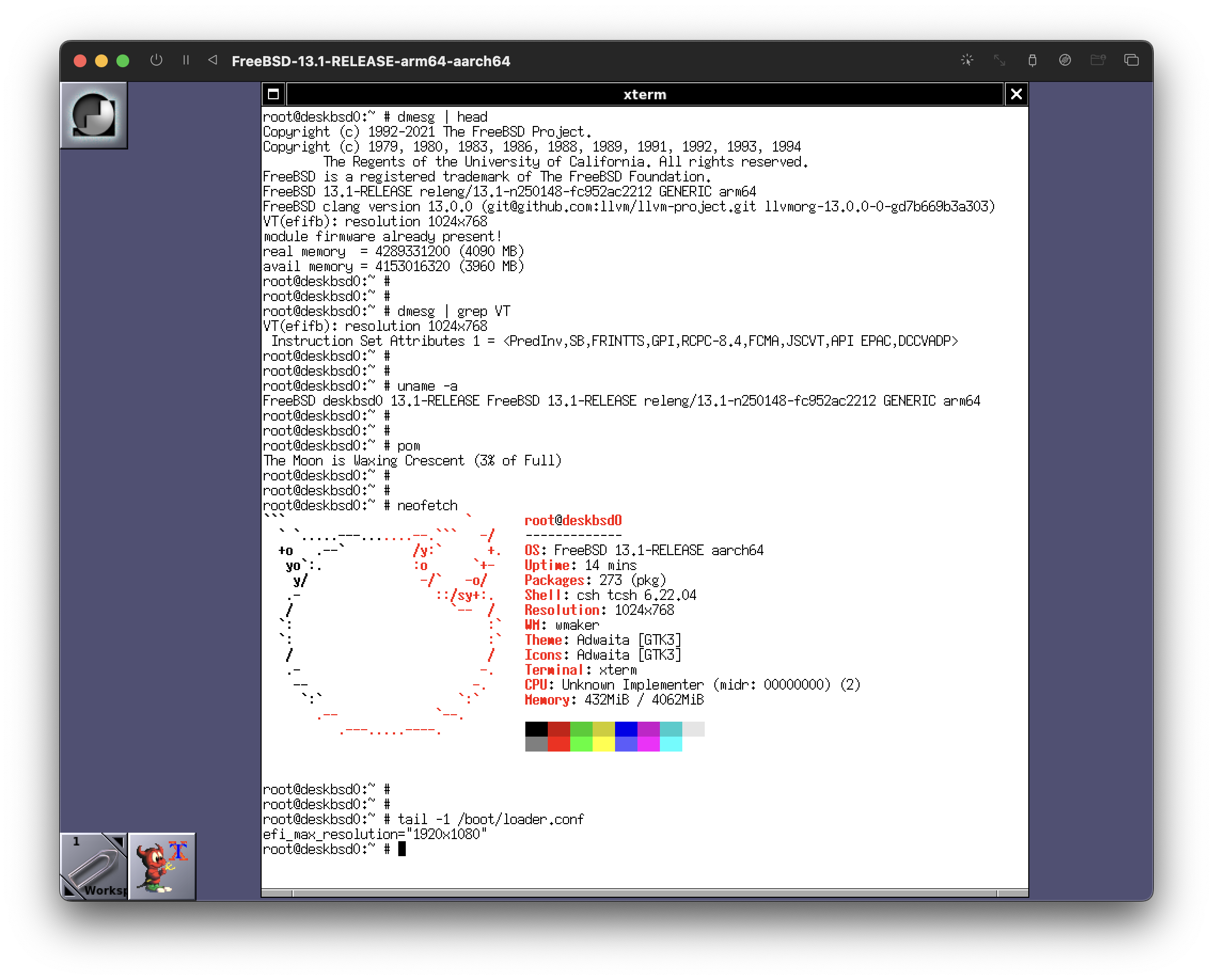
All you have to do is to add this single line to /boot/loader.conf
efi_max_resolution="1920x1080"Now, QEMU’s display will not be 1080p, but it will be the following
VT(efifb): resolution 1024x768Here are some screenshots
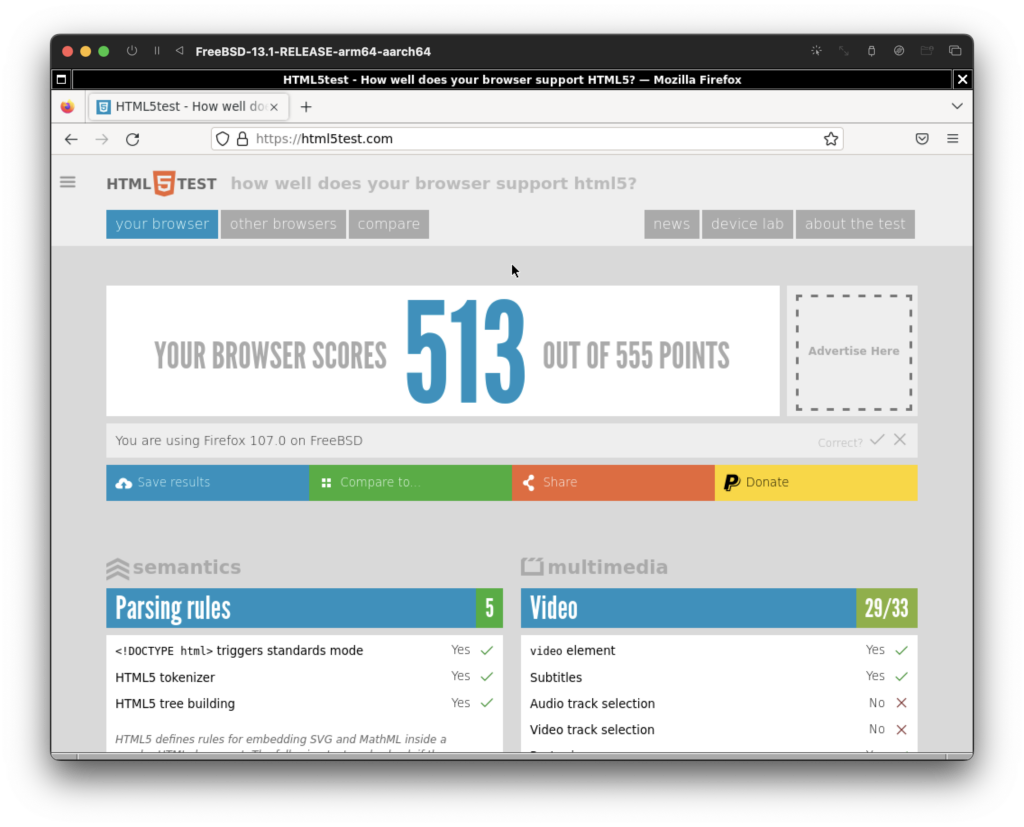
Here’s also Firefox doing an HTML5 test. As you can see, it passed the exam!
However, I’d like to get more resolution out of this. If you know how, please let me know.
That’s all folks…
Around a year ago I got an M1 MacBook Air for work. At this point, a lot of people that I know use these Apple Silicon machines.
While my personal machine is running FreeBSD, many times I’ve been in a situation where I need to run FreeBSD on my M1 MacBook Air, at least as a Virtual Machine.
For 9 months I’ve been running the AMD64 version of FreeBSD on QEMU/UTM.app using emulation. It gets the job done.
But whenever I want to do FreeBSD development, I need a fast machine. While M1 is pretty fast, VM emulation is still slow.
The problem is that whenever I booted the arm64.aarch64 FreeBSD on QEMU, it would use so much CPU on the host, that my battery would die in an hour or so.
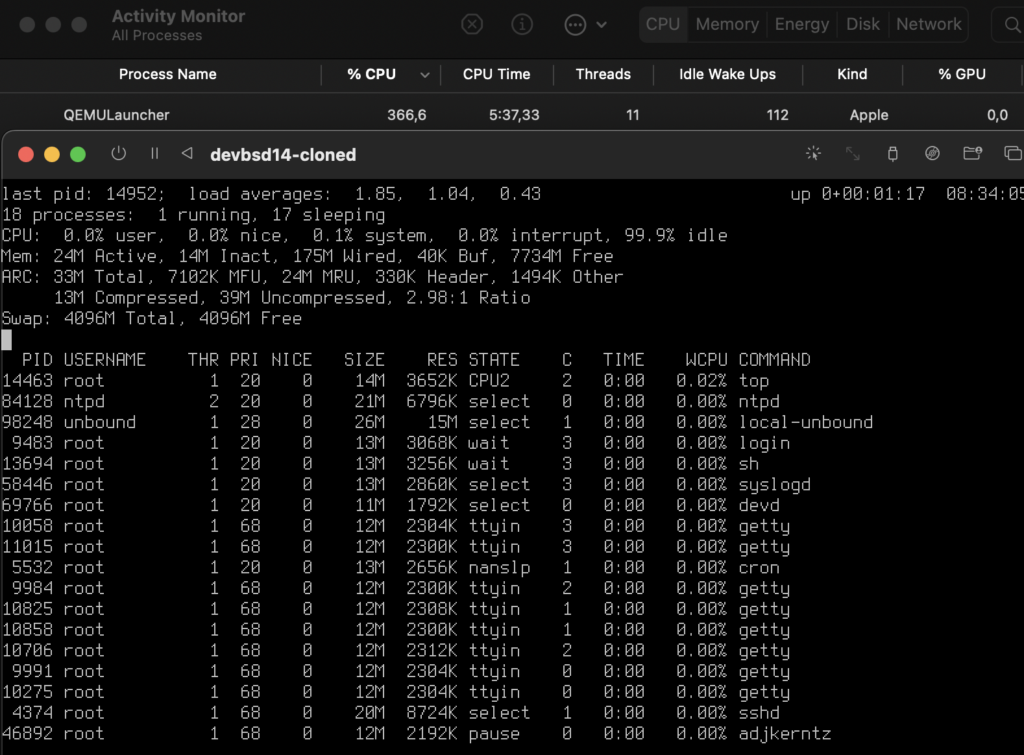
After a lot of searching, I finally found this, this and this, which eventually got me to this page on the handbook
1. Set Boot Loader Variables
The most important step is to reduce thekern.hztunable to reduce the CPU utilization of FreeBSD under the Parallels environment. This is accomplished by adding the following line to/boot/loader.conf:
kern.hz=100Without this setting, an idle FreeBSD Parallels guest will use roughly 15% of the CPU of a single processor iMac®. After this change the usage will be closer to 5%.
Configuring FreeBSD on Parallels
So I tried that, and here you go!
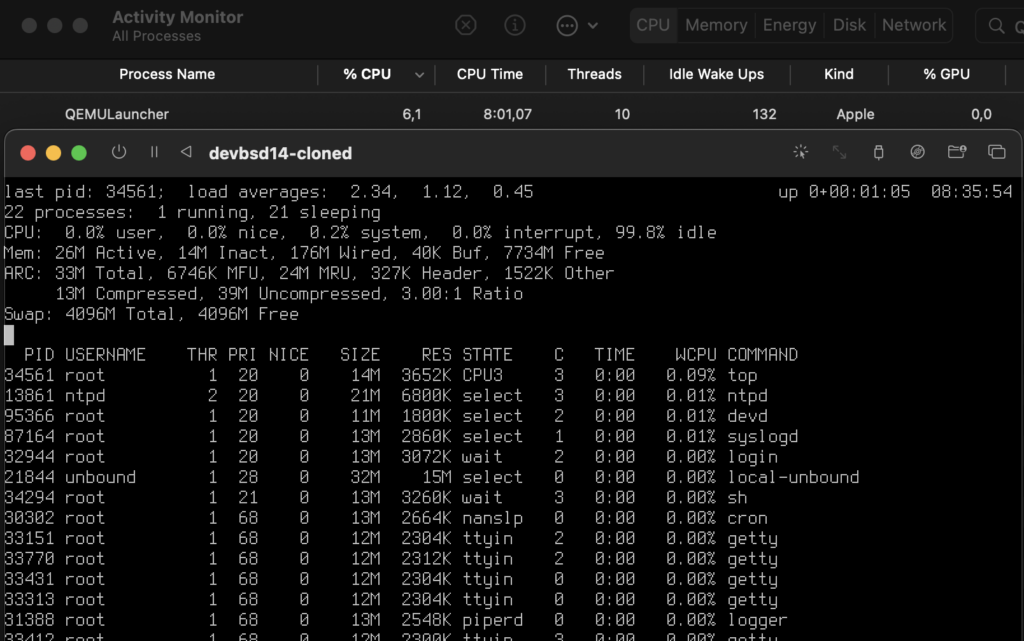
Ahh, finally, I can do some work.
That’s all folks…
What does modern macOS and old-school Instant Messaging systems (like AIM or Pidgin) have in common?
They both support “Status”, you know, that thing we had in IMs, where you can set yourself to “Do Not Disturb” and your avatar becomes red.
macOS, as always, does not call that “Status”, instead they call is “Focus”, but it gets the job done.
So yes, I’d like an IRL (In Real Life) version of DND (Do Not Disturb). Maybe my ears should turn red, but most people would confuse it with some other emotions.
That’s all folks…
I don’t remember the first bookmarklet that I’ve used, but as far as I can tell, I’ve never stopped using them.
One of the nicest things of WordPress on iOS is that I can use 3D touch to write a post instantly.
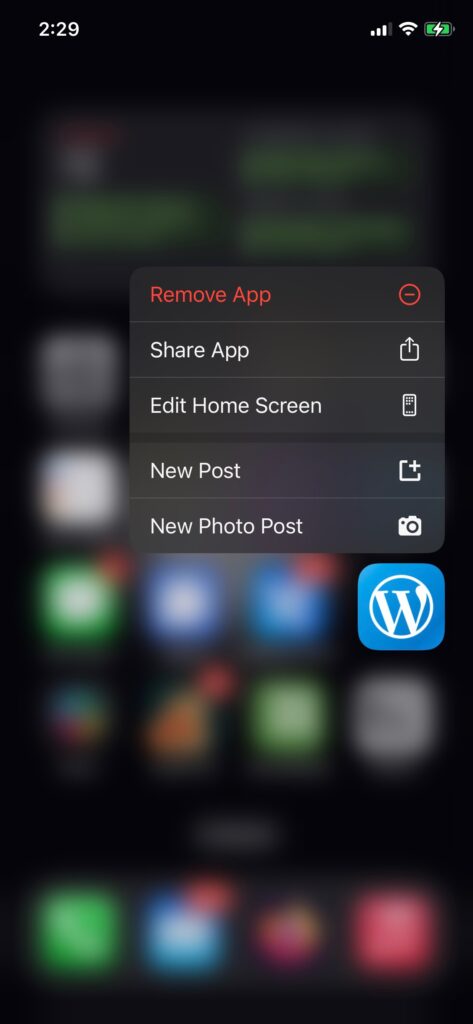
Yet, somehow, I’ve been using a typical bookmark on my computer. So I’d click on the bookmark, which would open my WordPress instance, then I’d click on Add New Post.
Even if I had the Add New Post page bookmarked, it would be “somewhere” on my screen.
But with a bookmarklet, I can make it a popup, which usually would center, and there would be no distractions as well. Just content.
I’ve been running my own instance of Lobsters for a while (at letstalk.netter.am) and one of the niceties is Lobsters’ bookmarklet to submit links.
I realized that I should use a bookmarklet for writing posts as well.
So here it goes.
javascript:{window.open("https://your.wordpress.blog/wp-admin/post-new.php", "NewPost", "popup");void(0)}And just like that, I can write a new post instantly, as I did right now 🙂
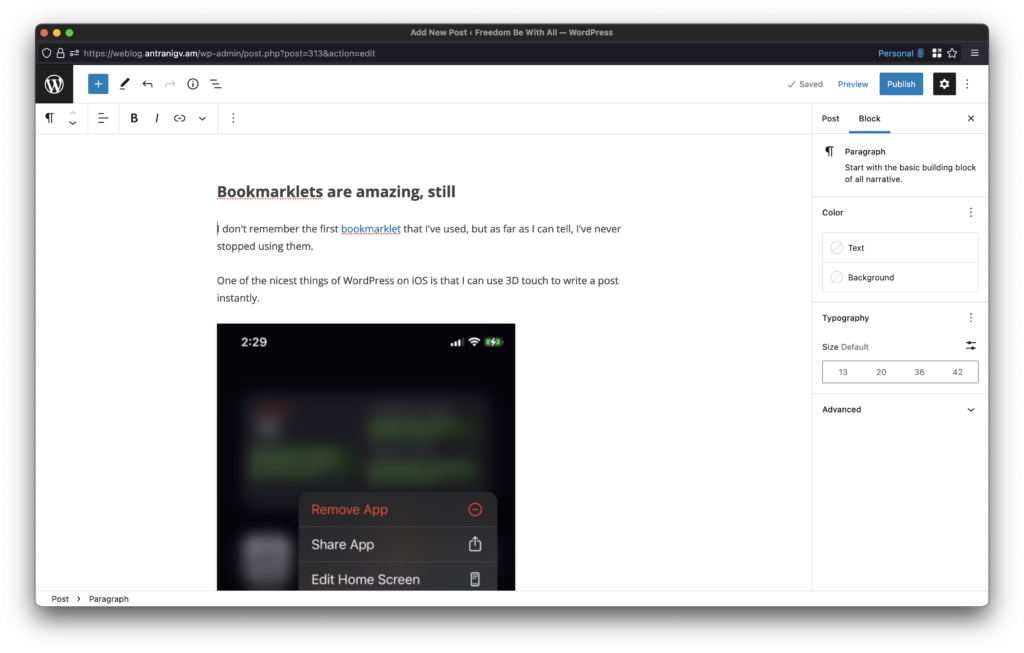
Technically, the first argument can be any URL that you wanna have front and center. Hope this helps you to write/blog/tweet more.
That’s all folks…
I’m a huge fan of the Dvorak keyboard layout, but if there’s one thing I love more than “Evolved vs Engineered” solution debates, is that nothing wins the ”standardized” debate.
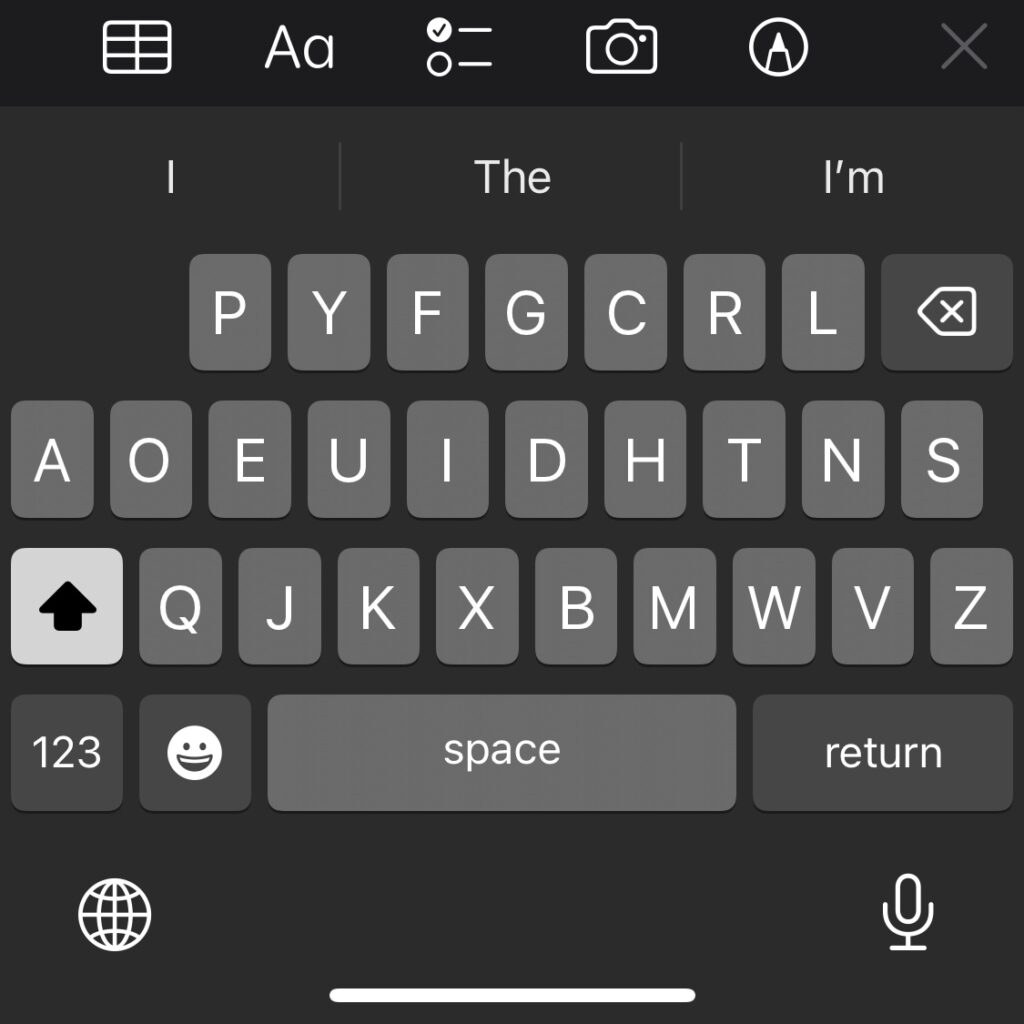
That being said, the main reason I never moved to Dvorak properly was always a device not having a proper keyboard. Sometimes it was my Android phone with a weird ROM, but most of times it was my iPhone.
However, I just learned that Apple shipped the Dvorak layout with iOS 16.
Here’s Lilith‘s iPhone running iOS 15
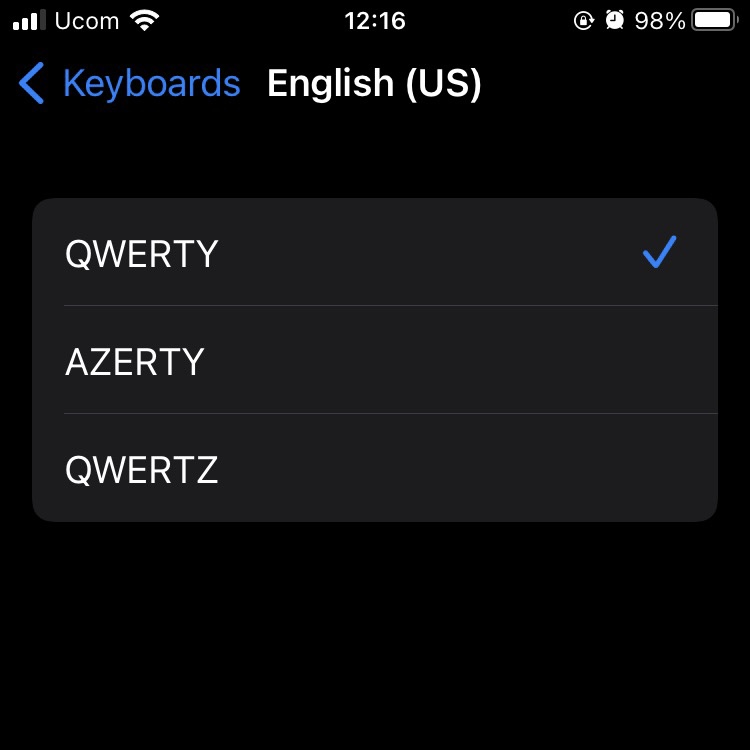
And here’s my iPhone running iOS 16
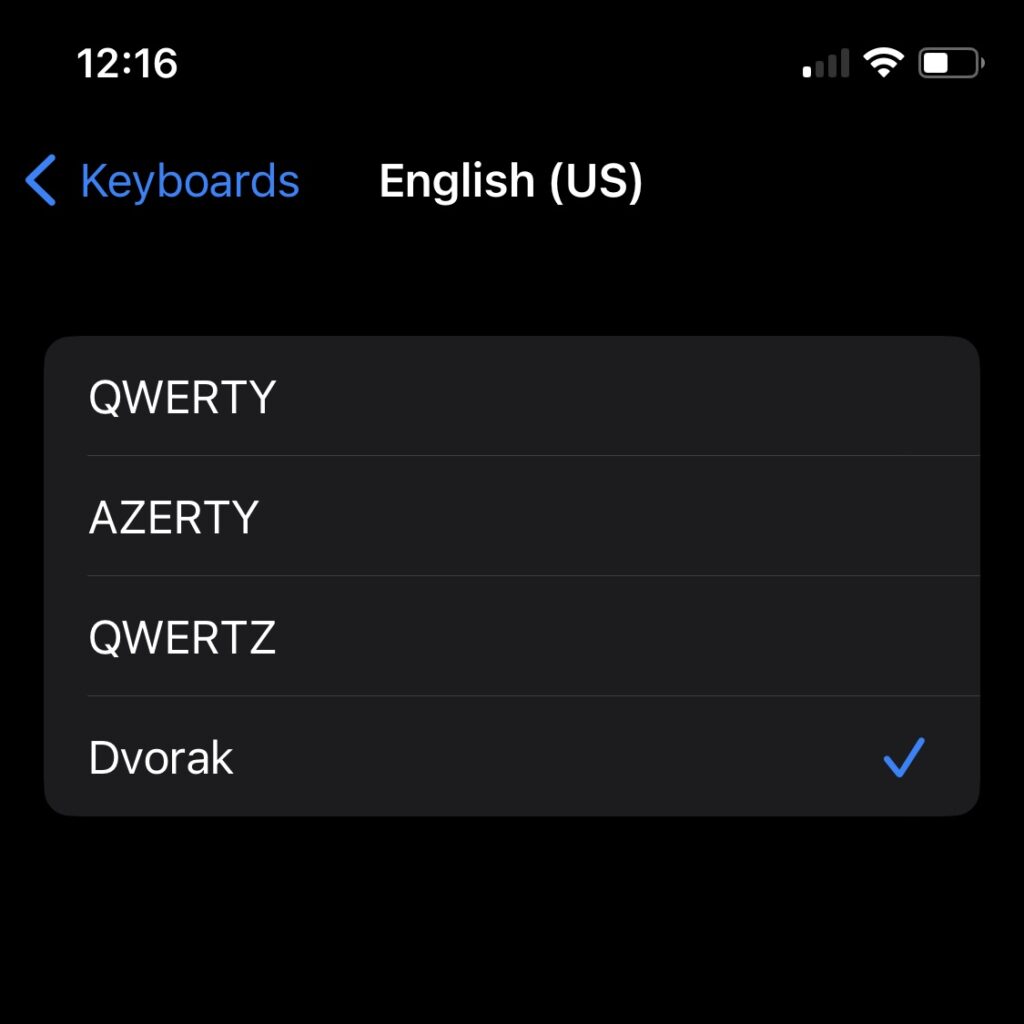
And I’ve gotta say, it’s not bad at all
That’s all folks…
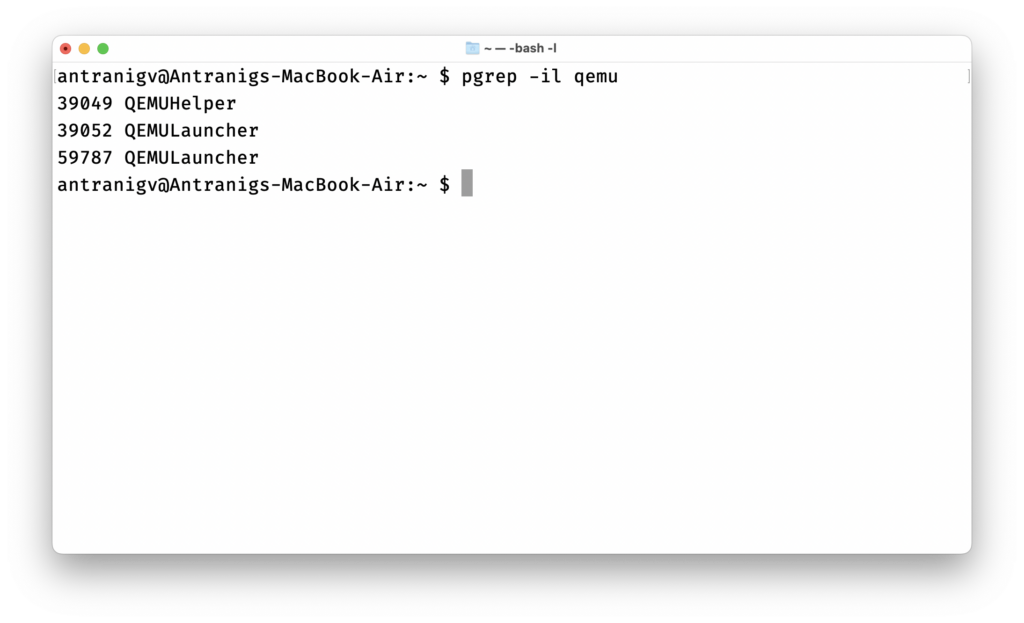
I’m running two VMs on my M1 MacBook Air. An x86_64 FreeBSD and x86_64 LureOS (illuria‘s OS), both are emulated.
and yet, somehow, according to macOS, my browser is Using Significant Energy.
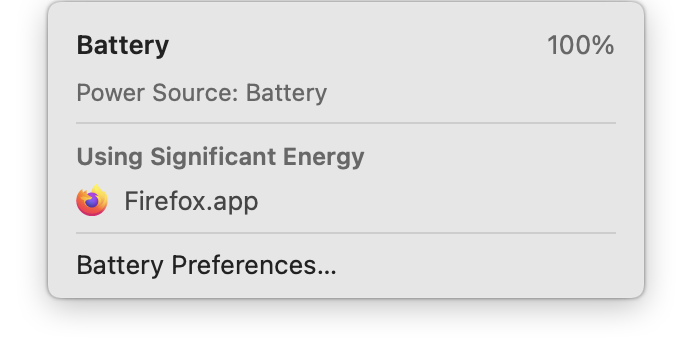
To be honest, I believe macOS, but the real question is, how did we get to a place where a piece of software is consuming more power than a complete Operating System?
According to the 2018 edition of The Open Group Base Specifications (Issue 7), there’s a command named command which executes commands.
Wait, macOS is OpenGroup UNIX 03 certified, right?
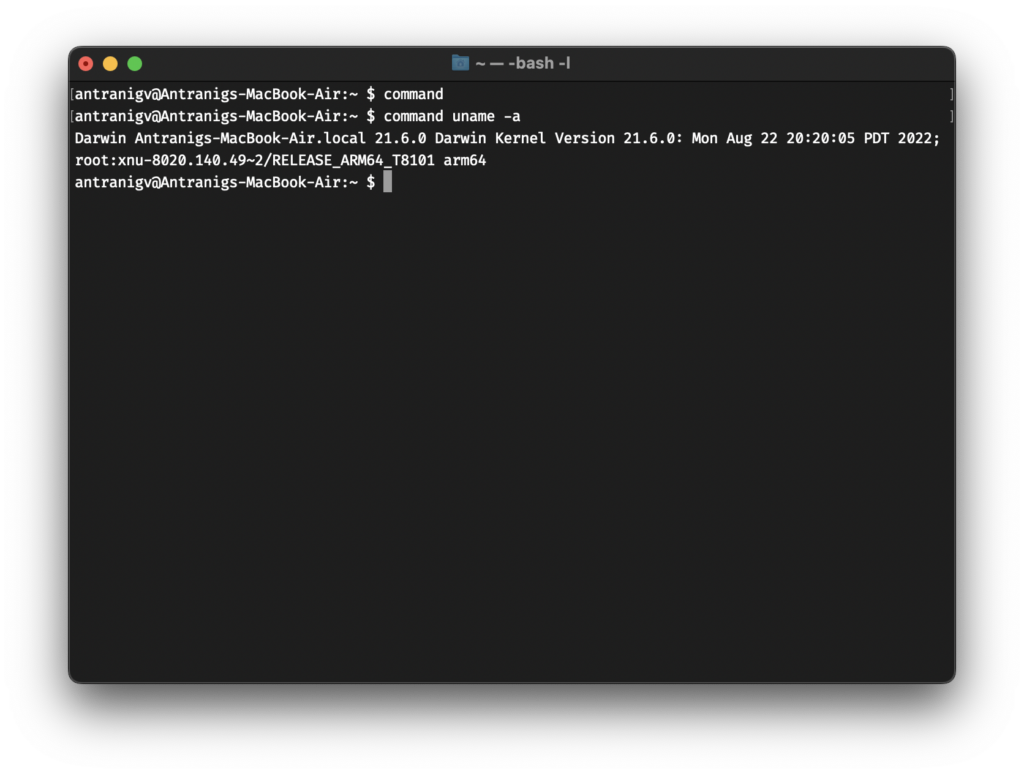
command running uname -aI tried tracing back the history, macOS is mostly based on FreeBSD, as we can see in their open-source code.
So I started tracing back the FreeBSD code, and I found the current one.
I found the oldest commit about command in FreeBSD’s source tree, but it said
Import the 4.4BSD-Lite2 /bin/sh sources
builtins.def
So I opened up the SVN tree of CSRG, and there I found this
date and time created 91/03/07 20:24:04 by bostic
builtins.def
However, if I knew how to use SVNWeb, I’m pretty sure I’d navigate around the /old/sh directory.
It’s funny, how this line# NOTE: bltincmd must come first!
Is both in the macOS code AND the CSRG code from 30 years ago.
That’s all folks…
I don’t know if it’s YouTube that chose this thumbnail or if it was someone from BSDCan, but I’ve gotta say, I love it! xD

But in all seriousness, you can find my talk “Own The Stack: FreeBSD from a Vendor’s Perspective by Antranig Vartanian (ft. Faraz Vahedi)” on YouTube.
There’s a whole playlist, with each talk more interesting than the other.
Looks like I know what I will be doing this weekend ☺️
Wikipedia defines meta-programming as:
programming technique in which computer programs have the ability to treat other programs as their data. It means that a program can be designed to read, generate, analyze or transform other programs, and even modify itself while running
Uncle Wiki
I had to write a “framework” at work where a shell program would run other shell programs “dynamically”. Let’s dig in!
As I mentioned in my earlier post Two Colons Equals Modules, you can “emulate” modules and functions in Shell (at least in FreeBSD’s /bin/sh) by using ::, so it would be module::function
Here we will do the same, however we will do hook::module.
The goal is to have a Shell program that would take a pid as an argument and do something with that PID, say print a group of information, maybe use DTrace to trace it, etc.
Let’s start by writing our main program.
#!/bin/sh
set -m

usage()
{
  echo "${0##*/} pid"
}

# print usage if argc < 1
[ "${#}" -lt "1" ] && usage && exit 1

# load scripts
load_scripts()
{
  for ctl in ./*.ctl.sh;
  do
    . "${ctl}"
  done
}

# stop the runner by killing the PIDs
runner_stop()
{
  IFS=":"
  for pid in $1;
  do
    kill $pid
  done
  exit
}

# Stop the runner if user sends an input
# This is useful if the runner is executed via a controller
wait_input()
{
  read command
  runner_stop ${PIDS}
}

# a.k.a. main()
runner_start()
{
  # make sure the process exists
  _pid="$1"
  ps -p "${_pid}" 1>/dev/null
  [ $? != 0 ] && exit 2

  # initiate scripts
  load_scripts

  # change IFS to :
  # loop over $SCRIPTS and execute the add hook
  IFS=":"
  for ctl in ${SCRIPTS};
  do
    add::${ctl} "${_pid}"
  done

  # now that we know the commands, loop over them too!
  # inside the loop set IFS to "," to set args
  for cmd in ${COMMAND};
  do
    IFS=","
    set -- "${cmd}"
    run::$1 $2
  done

  # Add trap for signals
  trap "runner_stop ${PIDS}" EXIT SIGINT SIGPIPE SIGHUP 0
  # reset IFS
  unset IFS
  wait_input
}

RUNNERDIR=$(dirname "$0")
(cd $RUNNERDIR && runner_start "$1")
Let’s digest a bit of that. First, we check if the number of arguments provided is less than 1
[ "${#}" -lt "1" ] && usage && exit 1then we call usage and we exit with return code 1
The load_scripts function will load a bunch of scripts (from the same directory) as long as the scripts are suffixed .ctl.sh
Here’s an example script, say fds.ctl.sh, which will print File Descriptors used by the process, we will use procstat internally.
#!/bin/sh

add::fds()
{
  COMMAND="fds,$1:$COMMAND"
}

run::fds()
{
  procstat --libxo=xml -w 5 -f "$1" &
  PIDS="$!:$PIDS"
}

export SCRIPTS="fds:$SCRIPTS"
Here’s where meta-programming comes into use (I think), we have a variable named $SCRIPTS, which is modified to add the script name into it, $PATH-style, and two functions, add::fds and run::fds. As you have guessed add:: and run:: are the hook names.
I’ll add another script, it will use procstat as well, but this time we will print the resource usage
#!/bin/sh

add::resource()
{
  COMMAND="resource,$1:$COMMAND"
}

run::resource()
{
  procstat --libxo=xml -w 5 -r "$1" &
  PIDS="$!:$PIDS"
}

export SCRIPTS="resource:$SCRIPTS"
The same applies here, one variable, $SCRIPTS and two functions, add::resource and run::resource.
Which means, after loading our scripts all four functions will be loaded into our program and the environment variable $SCRIPTS will have the value resource:fds:
Good? Okay let’s continue.
Since we used : to separate the name of the scripts we must set IFS to :, and we start looping over $SCRIPTS. Now we just run add::${ctl}, which would be add::fds and add::resource. We also pass the ${_pid} variable, if we need to
These two functions would do more meta-programming by setting the $COMMAND variable to script_name,arguments:$COMMAND, again PATH-style.
Which means that the $COMMAND variable has the value fds,89913:resource,89913:
The next bit is a bit tricky, since we’ve set $COMMAND to prog0,arg1:prog1,arg1,arg2: (well, not really arg2, but we could’ve) then we need to
,” as IFSsh to set the positional parameters, so prog0 becomes $1 and arg1 becomes $2, etc.and now we execute run::$1 $2, which would be run::fds 89913 then run::resource 89913.
I think I can make this better by running
– antranigv at 6am reading the code that he wrote drunkrun::$@, where$@is basically all the parameters, but will test that later
In the end, we add some signal trapping, we reset IFS and we just wait for an input.
Okay, so we now have a piece of software that reads other programs and modifies itself while running. We have a meta-program!
Let’s give it a run.
# ./runner.sh 89913
<procstat version="1"><files><89913><procstat version="1"><rusage><89913><process_id>89913</process_id><command>miniflux</command><user time>01:37:54.339245</user time><system time>00:19:43.630210</system time><maximum RSS>61236</maximum RSS><integral shared memory>5917491656</integral shared memory><integral unshared data>1310633336</integral unshared data><integral unshared stack>114278656</integral unshared stack><process_id>89913</process_id><command>miniflux</command><files><fd>text</fd><fd_type>vnode</fd_type><vode_type>regular</vode_type><fd_flags>read</fd_flags><ref_count>-</ref_count><offset>-</offset><protocol>-</protocol><path>/usr/local/jails/rss/usr/local/bin/miniflux</path><page reclaims>16939</page reclaims><page faults>7</page faults><swaps>0</swaps><block reads>5</block reads><block writes>1</block writes><messages sent>12603917</messages sent></files><files><fd>cwd</fd><fd_type>vnode</fd_type><vode_type>directory</vode_type><fd_flags>read</fd_flags><ref_count>-</ref_count><offset>-</offset><protocol>-</protocol><path>/usr/local/jails/rss/root</path><messages received>14057863</messages received><signals received>807163</signals received><voluntary context switches>79530890</voluntary context switches><involuntary context switches>5489854</involuntary context switches></files><files><fd>root</fd><fd_type>vnode</fd_type><vode_type>directory</vode_type><fd_flags>read</fd_flags><ref_count>-</ref_count><offset>-</offset><protocol>-</protocol><path>/usr/local/jails/rss</path></89913></rusage></procstat></files><files><fd>jail</fd><fd_type>vnode</fd_type><vode_type>directory</vode_type><fd_flags>read</fd_flags><ref_count>-</ref_count><offset>-</offset><protocol>-</protocol><path>/usr/local/jails/rss</path></files><files><fd>0</fd><fd_type>vnode</fd_type><vode_type>character</vode_type><fd_flags>read</fd_flags><fd_flags>write</fd_flags><ref_count>4</ref_count><offset>0</offset><protocol>-</protocol><path>/usr/local/jails/rss/dev/null</path></files><files><fd>1</fd><fd_type>pipe</fd_type><fd_flags>read</fd_flags><fd_flags>write</fd_flags><ref_count>2</ref_count><offset>0</offset><protocol>-</protocol><path>-</path></files><files><fd>2</fd><fd_type>pipe</fd_type><fd_flags>read</fd_flags><fd_flags>write</fd_flags><ref_count>2</ref_count><offset>0</offset><protocol>-</protocol><path>-</path></files><files><fd>3</fd><fd_type>kqueue</fd_type><fd_flags>read</fd_flags><fd_flags>write</fd_flags><ref_count>2</ref_count><offset>0</offset><protocol>-</protocol><path>-</path></files><files><fd>4</fd><fd_type>pipe</fd_type><fd_flags>read</fd_flags><fd_flags>write</fd_flags><fd_flags>nonblocking</fd_flags><ref_count>2</ref_count><offset>0</offset><protocol>-</protocol><path>-</path></files><files><fd>5</fd><fd_type>pipe</fd_type><fd_flags>read</fd_flags><fd_flags>write</fd_flags><fd_flags>nonblocking</fd_flags><ref_count>1</ref_count><offset>0</offset><protocol>-</protocol><path>-</path></files><files><fd>6</fd><fd_type>socket</fd_type><fd_flags>read</fd_flags><fd_flags>write</fd_flags><fd_flags>nonblocking</fd_flags><ref_count>3</ref_count><offset>0</offset><protocol>TCP</protocol><sendq>0</sendq><recvq>0</recvq><path>192.168.10.5:63835 192.168.10.3:5432</path></files><files><fd>7</fd><fd_type>socket</fd_type><fd_flags>read</fd_flags><fd_flags>write</fd_flags><fd_flags>nonblocking</fd_flags><ref_count>3</ref_count><offset>0</offset><protocol>TCP</protocol><sendq>0</sendq><recvq>0</recvq><path>::.8080 ::.0</path></files></89913></files></procstat>
Why XML? Because libxos JSON output is not “real” JSON when procstat‘s running in repeat mode, but that’s a story for another day.
All code examples can be found as a GitHub Gist.
That’s all folks…